
Debugging Three.js
If you’re in the stages of creating a webGL game or app using three.js you may find it useful to visualize what your code is doing. That’s where the need for a debugger/inspector comes into play. Here are a few ways to do it.

If you’re in the stages of creating a webGL game or app using three.js you may find it useful to visualize what your code is doing. That’s where the need for a debugger/inspector comes into play. Here are a few ways to do it.

Why is this important knowledge? You may be looking into both options as whether you're planning to build online games, a plugin for your website, etc. Unity3D and three.js are certainly both great options that can accomplish similar things but definitely very different. I've fortunately been able to dip into both a bit. Hopefully you'll find this useful...

Vertex colors in three.js can be easily achieved using the built in geometry.vertices.push function and the THREE.VertexColors attribute when setting up a custom GLSL shader ...

This tutorial explains how to rotate the camera with the mouse in three.js. This can be accomplished using the built-in TrackballControls.js. Test it out on the below. Rotating the object around by holding down the left mouse button and dragging. Zoom with the middle and pan from side to side with the right mouse button. Download the source code for this tutorial.

 For this tutorial, we’ll be creating a Loading Screen in Three.js using the html5 Heartcode Canvasloader for our loading icon and the three.js LoadingManager to tell it when to appear.

This tutorial introduces construction a basic GLSL Displacement Shader in Three.js. It can really apply to any GLSL program, but we'll take advantage of the three.js ability of using custom shaders.

Here are some basics about using the the three.js editor. If you haven’t seen it in action, you can do so here.

Achieving a momentum effect during mouse drag has always been a nice feature that I've see many times in different examples of 3D for the web. After experimenting with three.js and seeing it's potential I thought this is a must have feature. The problem I found though is that from the examples that use it, it was difficult to find proper source code that worked just how I wanted it.

This example uses "OrbitControls" in three.js to rotate the camera around an object. It's based off of the example
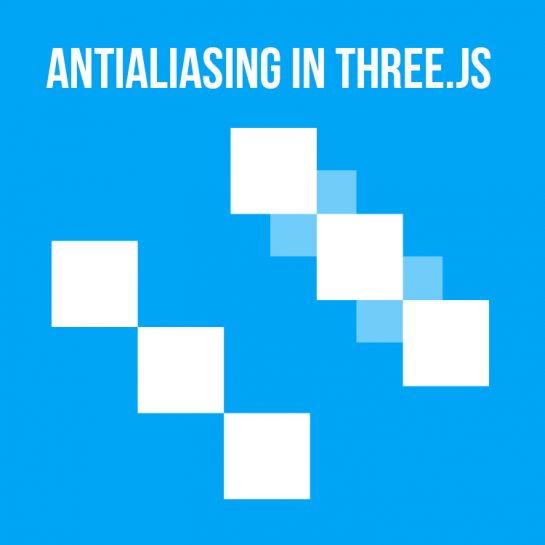
One of the hurdles of 3D is aliasing (jagged edges when rendering). Depending on your hardware and browser, three.js has a built in function to help with this (top left - without antialiasing, top right - with antialiasing)...

This scene is based off of the post Importing a Model Into Three.js with the added ability to import a texture into our scene. Here is the full .js code:
var scene, camera, renderer, loader, mesh, material;
var group;
We'll be using Blender (currently version 2.70 at the time of this writing) as our go-to 3d program for our lessons. The best part about it is that it's free. If you haven't used it before, there are countless online tutorials on the web to get you started. The main thing is though to get your model from a 3d modelling program into a format that three.js can use...
Here we will create a basic scene complete with an animated transparent cube in three.js. Though most beginner examples on the net show scenes loaded right from an HTML page, we'll set it up using an external file as it's generally good practice to keep your .js files separate when dealing with any kind of code that may become more than a few lines now or in the future.

I’ve always been interested in bringing 3d to the web which has been available in various ways, but there’s never really been any standard as to how it would be accomplished. I’ve found the result has been a mix of third party plugins, Java, WEB3D, VRML, faking 3d through a 2d engine or some heavily layered JavaScript.


